Test yourself with the quiz. After the theory on each step, a short quiz lets you check the trade-offs with real numbers — system type, orientation, battery sizing, economics, and more. You can also work through every step quiz in order from the quiz hub.
What you will finish with
- A complete design through to installation readiness — energy use, system size, panel layout, inverter choice, strings, battery (if needed), and a check that the design matches your goals.
- Enough to brief a qualified installer, or continue in Photonik Pro for proposals and documentation.
This guide prepares you for installation. It is not an installation or wiring guide — qualified electrical work and on-site procedures still apply.
Who this is for
- DIY-inclined homeowners working through their own system design
- Solar professionals learning Photonik Pro or sharpening design skills — designers, sales people, electricians new to solar, and installers building confidence. Many steps include an In Photonik Pro walkthrough of where each decision lives in the app.
Photonik Pro is software for solar businesses: proposals, system design, pricing, and documentation. This guide follows the same workflow.
It is not a “should I get solar?” guide. For payback, quotes, and choosing an installer, see the buying guide.
Solar-only, hybrid, or off-grid?
One choice shapes everything that follows — how your system relates to the utility grid. Pick your starting broad path on this step; later steps fill in the detail.
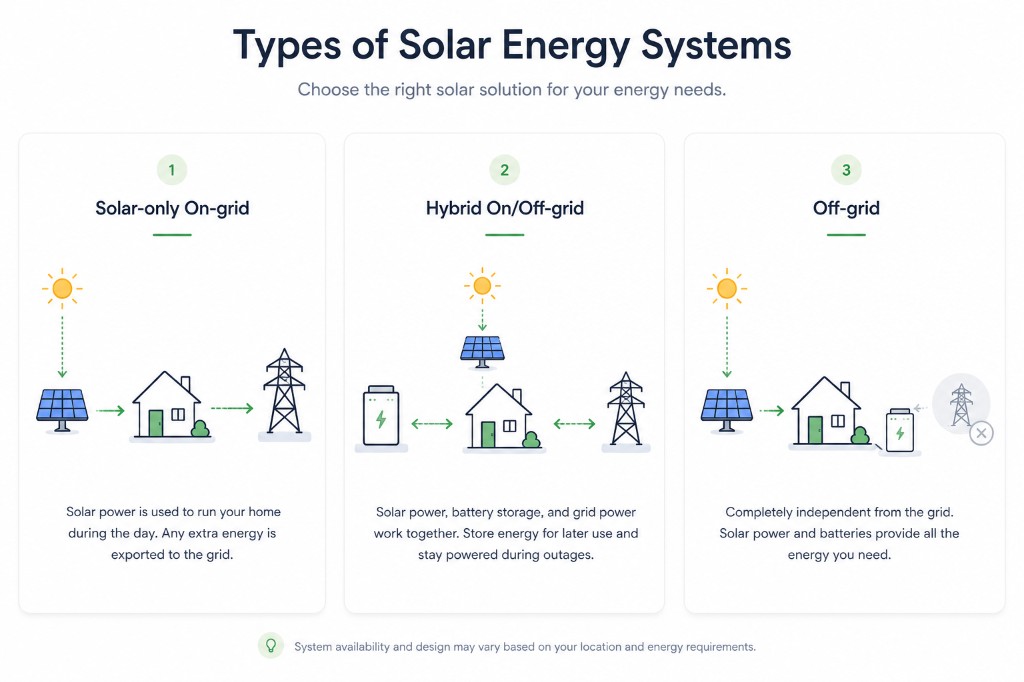
- Solar-only (grid-tied) — panels connected to the grid. Solar reduces what you import; surplus can be exported. No battery required.
- Hybrid — solar-only plus a battery. Store daytime solar for evening use, or ride through grid outages. Still connected to the grid.
- Off-grid — no utility connection. The array and battery must cover every load; a backup generator is usually included as well.
Which path fits your site?
- No grid connection → off-grid
- Unreliable grid or very low export rates → hybrid is worth serious consideration
- Stable grid and reasonable export → solar-only is the simplest starting point
Local factors still matter — what you are paid to export, what you pay to import, and how often the grid drops out. The quiz below is an early taste of how tariffs change the answer; it is not your final battery decision.
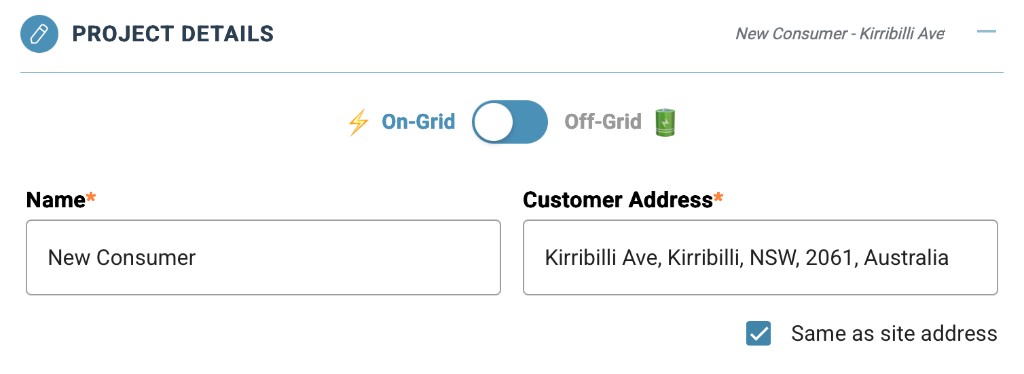
In Photonik Pro, open Project Details when you create a proposal. Set On-Grid or Off-Grid first. On-grid jobs use Energy Profile for usage and tariffs; off-grid opens the load-table path.
When is a battery worth it for grid-connected systems?
On-grid sites do not need a battery decision yet — solar-only and hybrid are paths you can keep open until Step 8, once usage, tariffs, and system size are known. The quiz below helps you start to understand the trade-off between extra battery cost and greater self-sufficiency.
Step 8 — Battery storage is where this guide runs the full financial check: whether a battery pays off on your design, how many kWh to target, and how it connects to the inverter you chose in Step 6 — Choosing an inverter. If the answer is no, you can continue solar-only to Step 10 — Design and proposal review.
- Solar-only often wins on lifetime savings when export rates are reasonable and backup is not a priority.
- Hybrid is more compelling when export is low, evenings are power-heavy, or outages matter.
Local rules
Rules vary by country and region. Some places require a fully licensed electrician for any wiring; others need inspector sign-off before connection; others allow more DIY. Check what applies where you are before you build.