Which way should panels face?
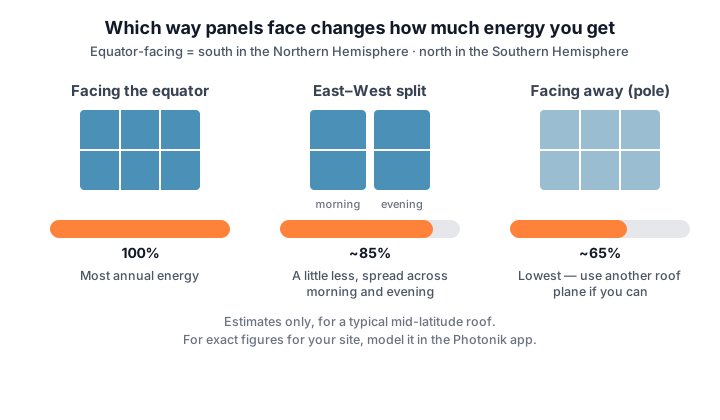
- Panels facing the equator (south in the Northern Hemisphere, north in the Southern) collect the most energy over a year.
- An east–west split makes a little less overall (about 85%) but spreads it across morning and evening — often a better match for when you are actually home using power.
- Panels facing away from the equator make the least. They are mostly useless in winter, but do add nicely to summer generation — handy for covering summer air-conditioning, but do not count on them for winter power, especially far from the equator.
These figures are estimates for a typical roof. Panel Placement in Pro models azimuth, tilt, and losses for your exact site.
What angle (tilt)?
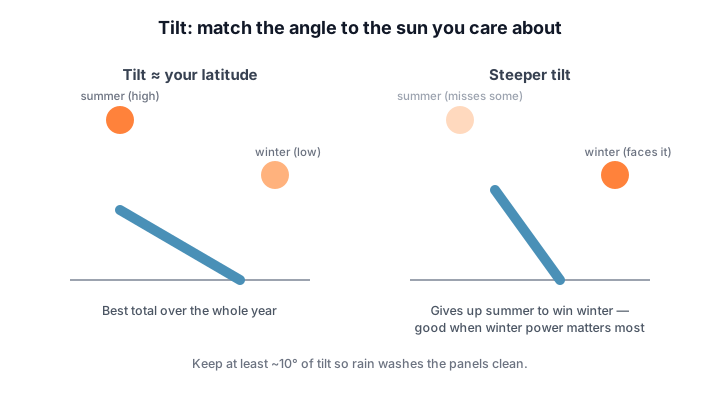
- A tilt roughly equal to your latitude gives the best total over the year. On a pitched roof you take the roof’s angle — and that is almost always fine.
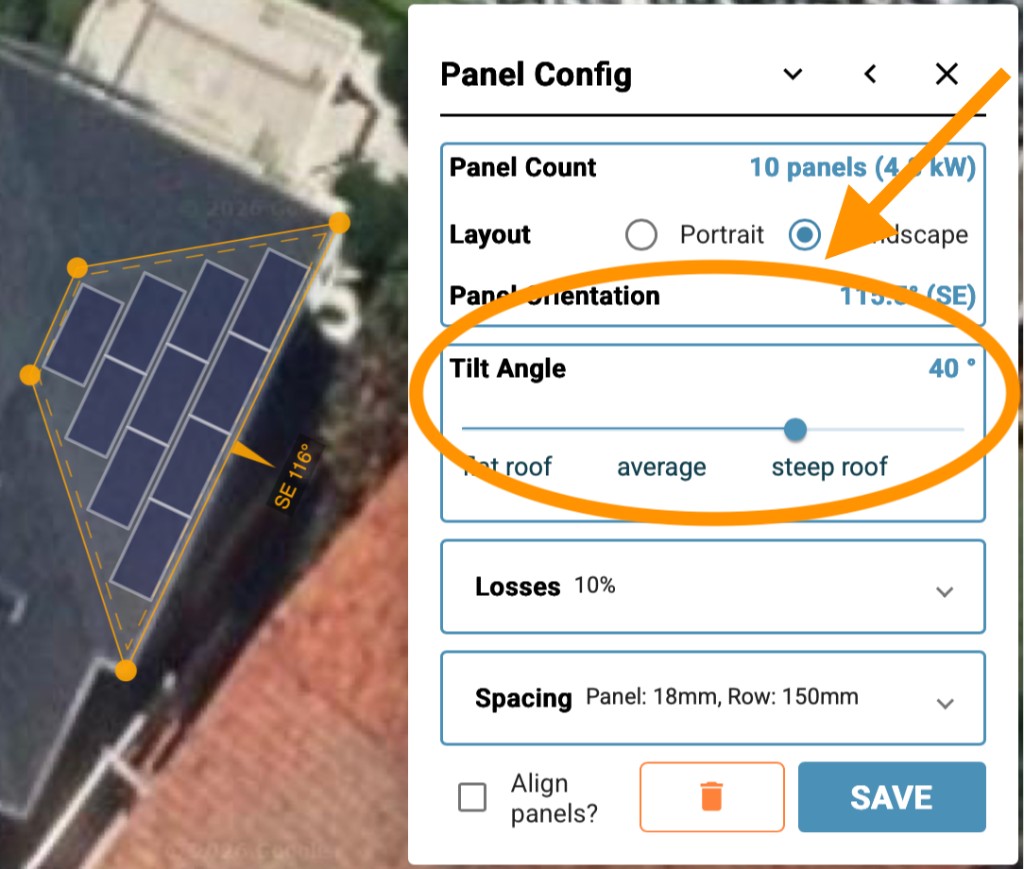
- Steeper panels catch more of the low winter sun at the cost of some summer. Go steeper when winter power matters most (heating, off-grid).
- Keep at least about 10° of tilt so rain washes the panels clean.
Flat roof: lay flat or use tilt frames?
- Tilt frames lift each panel to a better angle, so each panel makes more energy.
- But frames cost more, and tilted rows shade each other — so rows need spacing, and fewer panels fit.
- On a big flat roof, more panels laid nearly flat often beats fewer panels on frames. The quiz below lets you test this with real numbers.
Design for when you use power
In Step 3 — Energy Profile you set daily and annual consumption profiles. Panel orientation matters most when that use pattern does not line up with midday solar.
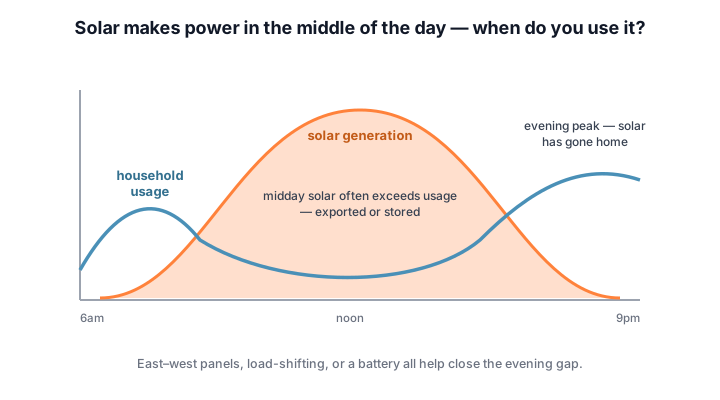
- Solar peaks at midday; most homes peak morning and evening. That mismatch is the central design tension.
- Midday surplus gets exported (or stored); the evening peak arrives after the solar has gone.
- Season matters too: high summer usage (air-conditioning) lines up well with strong summer sun, while winter heating fights short, weak winter days — which is where panel angle and facing direction earn their keep.
- East–west panels, shifting loads to daytime (hot water, dishwasher, EV charging), or a battery (Step 8 — Battery storage) all help close the gap.
Fitting them on
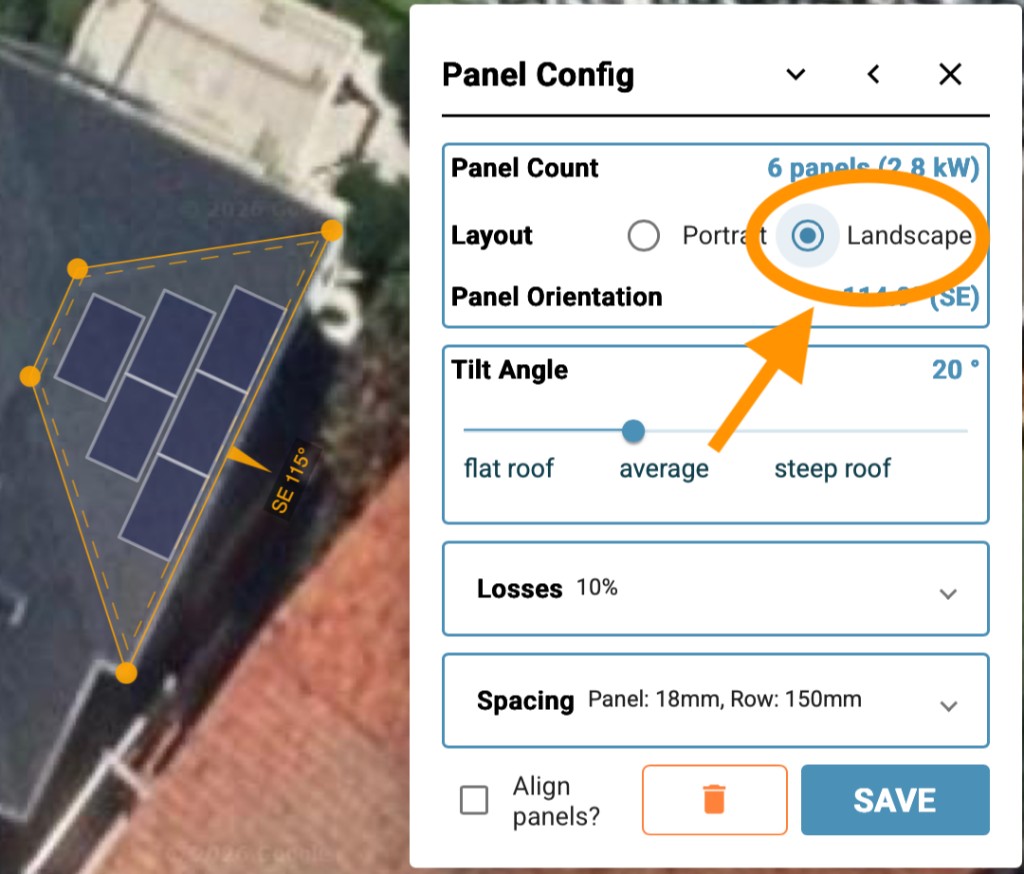
- Panels are roughly 1.7–2.2 m tall and about 1.1 m wide. Portrait vs landscape changes how many fit on a given roof plane.
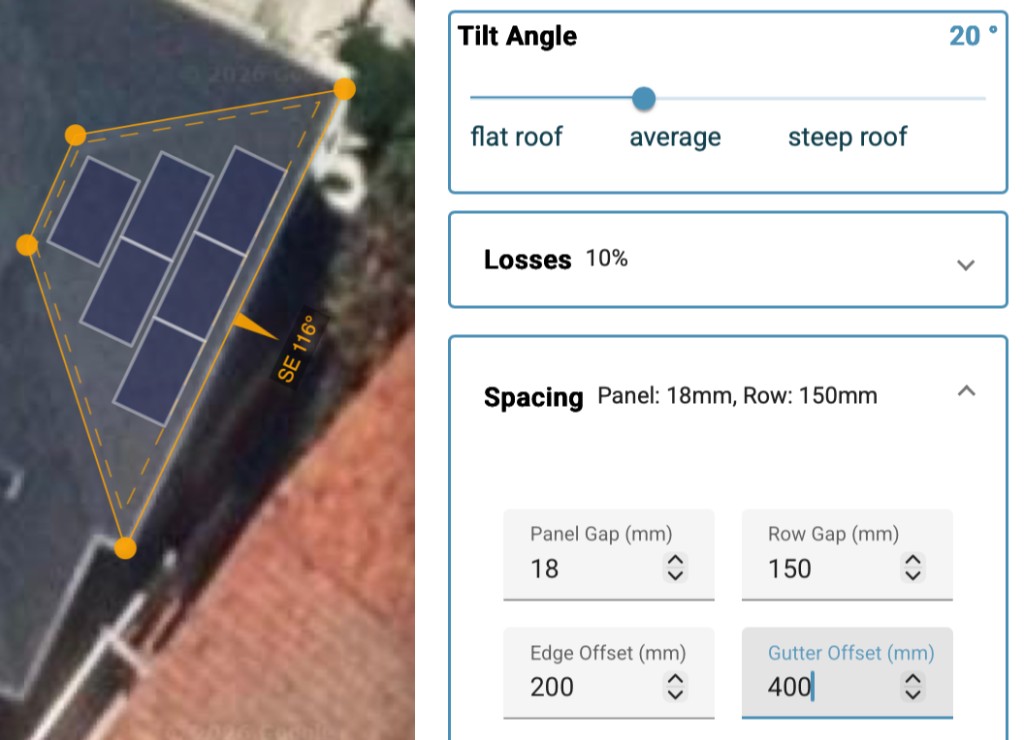
- Leave setbacks from roof edges — local rules often require them, and wind loads are worst at edges.
- If space is tight, panel dimensions matter more than brand: a shorter, wider panel may fit where a taller one will not (compare sizes in the panel directory).
- Efficiency only really matters on a tight roof. Modern panels are close enough in efficiency that, with space to spare, value for money wins.
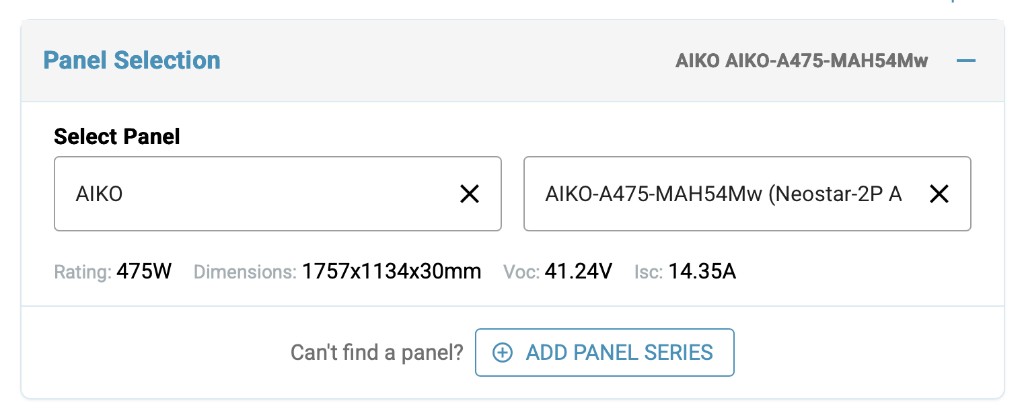
In Photonik Pro, open System Design → Panel Selection. Pick manufacturer and model from the product library — wattage, Voc, and dimensions flow through to string checks and the equipment schedule later. If your panel is not in the list, click Add panel series to add it.
In Photonik Pro, open Panel Placement on the same tab. Draw panels as follows:
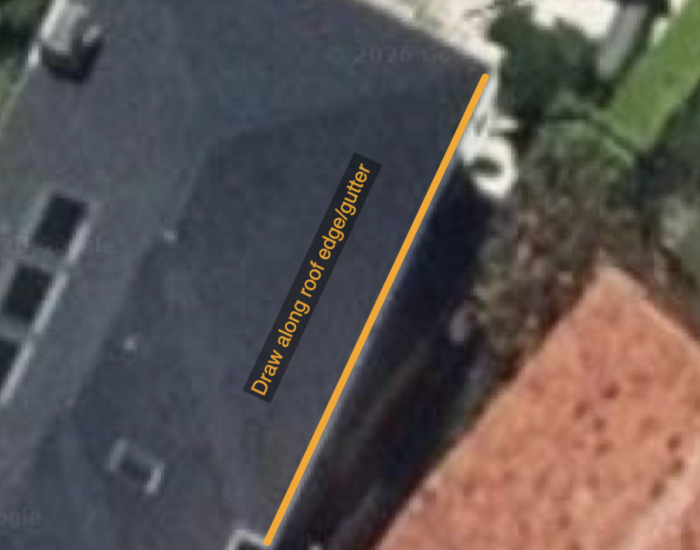
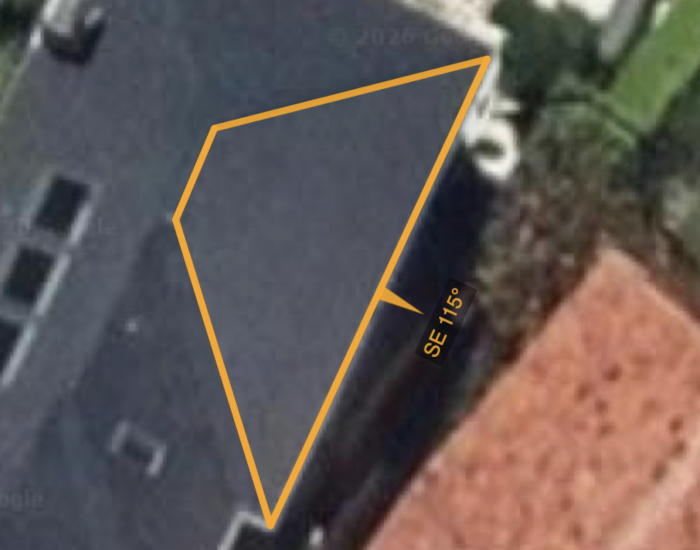
Note: You can draw up to four sides; Photonik does not yet support larger polygons. For a triangle roof face, double-click to finish or press Enter.
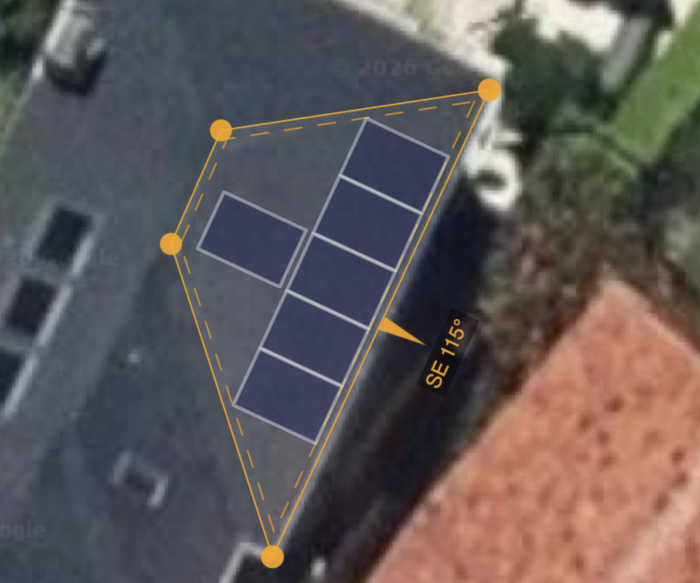
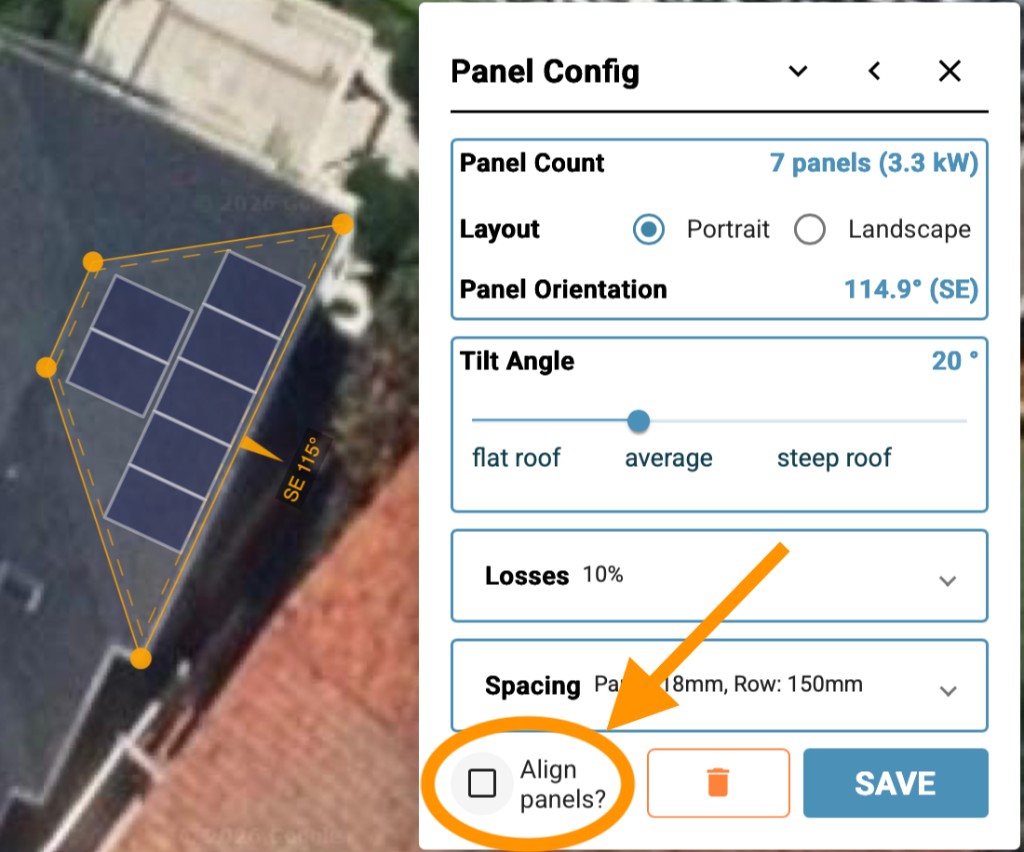
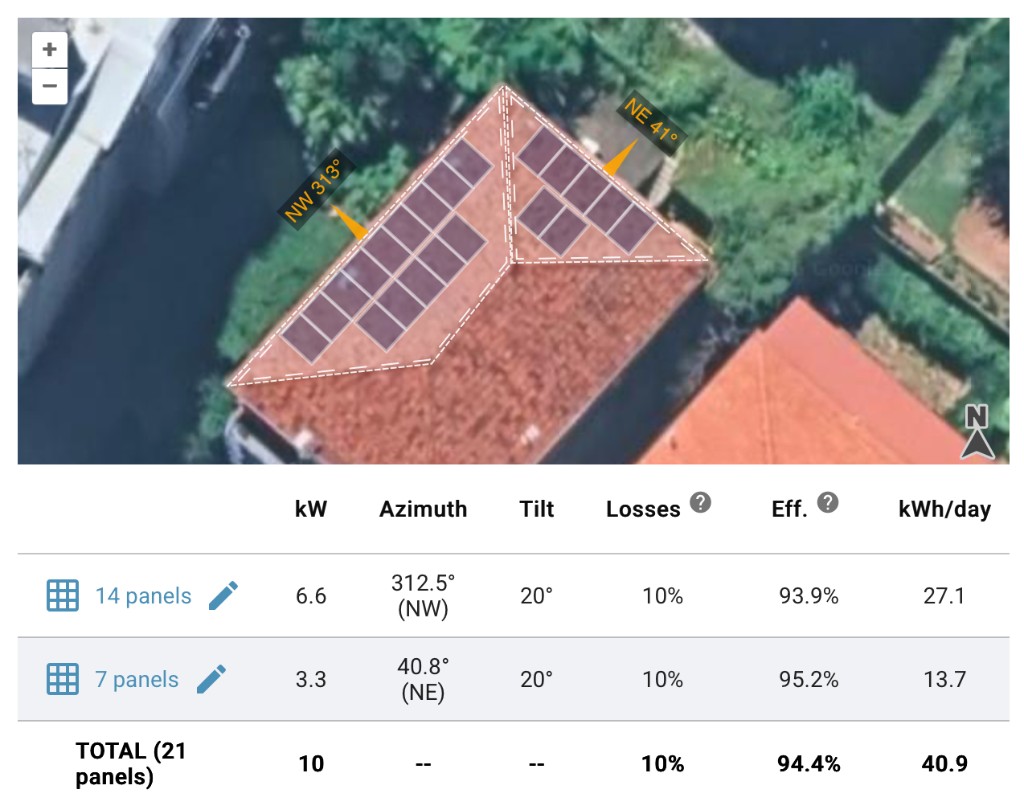
The summary table compares panel groups, showing direction, tilt, losses, efficiency vs optimal and generation per day on average. This table is great for quickly showing the best locations for solar on a property.
Without Pro, sketch a single-plane count with the panel placement calculator, or follow the panel placement walkthrough.